01Why automate pallet moves
In most warehouses and factories, the same pallet routes run over and over, every shift: dock to staging, staging to rack, store to production line. These moves are repetitive, they depend on trained operators being available, and manual forklift traffic is one of the biggest safety hazards on any industrial floor. Think collisions, crushed feet, falling loads and rack strikes.
Repetitive, predictable, point-to-point moves are exactly what autonomous forklifts are built for. RoboLift runs them on its own, to the millimetre, around the clock, and it takes people out of harm's way while doing it.
02What RoboLift is (and isn't)
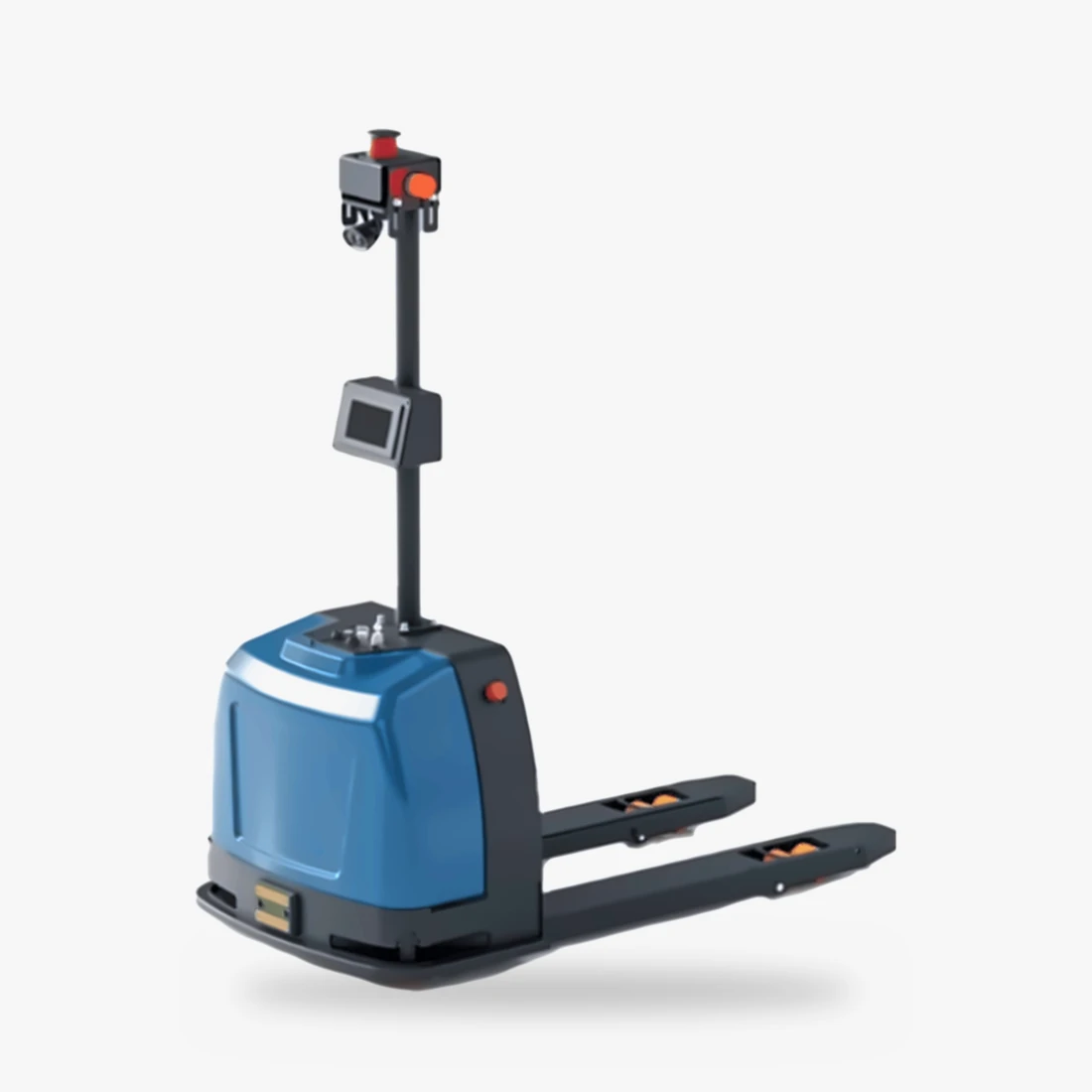
RoboLift is a fully automatic pallet forklift, built on a pallet-truck form factor with a sensor mast and an on-board computer. It carries pallets up to 2,000 kg at a 600 mm load centre, on 1,150 mm forks.
Its job is ground-level pallet transport: picking pallets from floor positions, docks or low rack positions, moving them across your site and dropping them precisely. If your operation needs high-bay stacking, talk to us about the right mix of equipment. We'd rather tell you honestly where RoboLift fits.
- Drive: 1 kW servo drive motor and 0.8 kW lifting motor
- Brakes: electromagnetic
- Brain: Android 11 + Linux (Ubuntu) control stack
- Footprint: 1,645 × 850 mm, 370 kg vehicle weight
03Mapping the site: no tape, no tracks
Older AGVs followed magnetic tape, wires or reflectors. Every layout change meant re-laying the floor. RoboLift uses map-based navigation instead.
- Mapping run: during commissioning, RoboLift is driven through the operating area once. Its navigation sensors capture walls, columns, racking uprights and other fixed features and build a digital map.
- Defining the work: on that map we mark pick and drop stations (dock doors, staging lanes, line-side positions, rack bays), the charger, travel lanes, one-way sections, speed-limited zones and no-go areas.
- Localisation: in operation, RoboLift continuously matches what it sees against the map to know exactly where it is.
Moving a staging lane or adding a new drop point is a software change, not a civil-works job. You can re-shape your flows as your business changes.
04How RoboLift gets its tasks
A task is simply "take the pallet at A to B". RoboLift can receive one in several ways:
- On the vehicle: pick a task on its built-in touch screen.
- From a phone, tablet or PC: supervisors dispatch and monitor from any device.
- From your WMS / MES: the best option at scale. When your warehouse or production system creates a move, such as a putaway after receiving or a replenishment for line 3, RoboLift gets the task automatically, with no manual dispatch.
05Route planning and obstacle avoidance
Once it has a task, RoboLift plans the best route across the map, respecting your lanes, one-way rules and speed zones. While driving, it keeps watching:
- If something unexpected appears, such as a person, a manual forklift or a stray pallet, it slows down, stops or steers around it, depending on the zone rules.
- It travels at up to 1.5 m/s empty and 1.0 m/s loaded, and can be limited further in shared areas.
- It handles gentle slopes up to 5% empty and 3% loaded, which is useful for dock plates and ramps.
06Pick and drop, precisely
At the pick station, RoboLift lines itself up with the pallet, inserts its forks and lifts, at 50 mm/s empty and 40 mm/s loaded. At the drop station it positions precisely, lowers and backs out cleanly.
- Works with your racks and pallets: different rack and pallet types are supported, with several handling modes to choose from.
- Fork geometry: 1,150 / 170 / 60 mm forks, 680 mm standard outer spread, 85 mm fork ground clearance.
- Consistency: it drops the pallet in the same place every time, which keeps staging lanes neat and scan-friendly.
Automation rewards consistency. Broken boards, overhanging loads or badly wrapped pallets cause trouble for robots and humans alike. Standardise where you can, and we'll configure for what you actually run.
07Narrow aisles and multiple floors
With a 1,360 mm turning radius and a right-angle aisle width of 1,960 + 200 mm, RoboLift fits through the narrow aisles and passageways typical of Indian warehouses and older factory buildings.
Where your operation spans more than one level, RoboLift can use lifts to work across floors, which is ideal for multi-storey factories and urban warehouses. Lift integration is scoped during the site survey.
08Safety, in layers
A two-tonne load moving without a driver demands serious safety design. RoboLift stacks several protections:
- Several layers of obstacle detection around the vehicle, so it slows and stops for people and objects.
- Emergency stop button on the mast, within reach of anyone nearby.
- Electromagnetic brakes that hold the vehicle securely.
- Map rules: speed limits, no-go zones and one-way lanes keep it predictable.
- Training for your team on shared-space etiquette: pedestrian zones, how to stop a unit, how to resume.
How this reduces hazards on your floor
- No operator on board, so no one is exposed while driving with a two-tonne load.
- No manual pushing or pulling of heavy pallets, which lowers the risk of strain injuries.
- No fatigue or distraction: the night shift is as precise as the day shift.
- Predictable traffic: fixed lanes and speed zones mean people always know where the forklift will go.
- Fewer rack strikes and dropped loads thanks to precise positioning and controlled lift and descent speeds.
09Auto-charging: the robot that plugs itself in
This is where an autonomous forklift really pulls away from a manual one. RoboLift monitors its own battery. When the level runs low, or when the scheduler sees a quiet window, it finishes its current job, drives itself to its charger, docks and charges, then goes back to work. No one has to remember to plug it in, and no shift starts with a flat truck.
Tip: place chargers close to the busiest routes, and with a fleet, stagger charging so there's always capacity on the floor.
10Fleet control and central scheduling
One RoboLift is useful; several working together is a system. With central scheduling you can:
- Run several forklifts together and let the scheduler pick the best unit for each job.
- Prioritise urgent moves, such as an outbound truck waiting at dock 4.
- See status, location and battery for every unit from a PC, tablet or phone.
11Site-readiness checklist
Before your site survey, run through this list. It will make the conversation much faster.
| Check | What RoboLift needs |
|---|---|
| Floor | Flat, sound concrete or epoxy; no large potholes or loose debris |
| Slopes | ≤ 3% where it travels loaded, ≤ 5% empty |
| Aisles | Right-angle turns need 1,960 + 200 mm |
| Loads | Up to 2,000 kg at 600 mm load centre |
| Pallets | Pallet types and dimensions in use, condition |
| Network | Wi-Fi coverage across the operating area |
| Power | A power point near each planned charger location |
| Systems | Your WMS / MES and how it could send move tasks |
| Volumes | Moves per hour at peak, routes and distances |
12Where RoboLift pays off
- Manufacturing: raw material to line, finished goods to the warehouse, WIP between cells, with MES triggers.
- Warehousing and 3PL: dock-to-stock putaway, staging for outbound, cross-docking.
- Logistics hubs: repetitive shuttles between sorting and loading zones.
- Retail distribution: DC replenishment and festive-season peaks without temporary drivers.
- Healthcare and airports: central stores, catering units and cargo handling.
13Frequently asked questions
Can RoboLift work alongside people and manual forklifts?
Yes. It's designed for shared spaces, with obstacle detection, speed zones and an emergency stop. We'll help you define lanes and rules that keep everyone predictable.
Does it need a WMS?
No. You can dispatch from its screen or from a phone, tablet or PC. WMS / MES integration is what unlocks fully automatic operation at scale.
What if we change our layout?
Update the map and stations in software. No tape or floor works needed.
Can one person override it?
Yes. The emergency stop halts it instantly, and supervisors can pause, re-route or cancel tasks from the control interface.
How is it priced?
It depends on fleet size, integrations and site work. Share your layout and loads and we'll send a tailored quotation.
Share your layout. We'll design the flow.
Send us your site layout, pallet types and daily moves, and we'll suggest the right RoboLift setup and fleet size.